Pages

Sunday, February 26, 2023

AirPrint with Raspberry Pi and CUPS


AirPrint using a Raspberry Pi


After you succeed with these steps you will be able to print to CUPS printers from an iOS device.


CUPS = Common Unix Print Service

Steps:

0: Have an SSH connection or local terminal access to a Raspberry Pi. Also in this step make sure that the device you wish to print from and the CUPS server are on the same network.

I am 99% positive that all Pis have CUPS installed. But in any case, follow along.

Install CUPS 

First, we’ll install CUPS, which is a printing system by Apple Inc. for macOS and other UNIX-like operating systems. 

sudo apt install cups

We need to add the pi user to the lpadmin group

sudo usermod -a -G lpadmin pi

Allow CUPS access from anywhere in our LAN.

sudo cupsctl --remote-any

Edit the CUPS config file

sudo nano /etc/cups/cupsd.conf 

Change

Listen localhost:631  -----> Liten 631

And further down the file add Allow @local after the lines with "<Location>"


Restart CUPS for the changes to take effect.

sudo systemctl restart cups

Install drivers

sudo apt install printer-driver-gutenprint

Add printers as needed

Add your printer to CUPS as you normally do. In my case http://<piIPaddress>:631

Install avahi-daemon to allow service discovery.
That is what allows devices on the network to broadcast what they are and can do.

sudo apt install avahi-daemon

Start avahi-daemon.

sudo systemctl start avahi-daemon

Enable auto-start at boot time.

sudo systemctl enable avahi-daemon


IMPORTANT
If your iDevice cannot see the printer(s)

1) Make sure that the Pi, iDevice are on the same network.
2) Make sure that client isolation is disabled in your access point/wireless router. I reflashed my Pi about three times because I could not figure it out.

On the Xfinity Forums, they recommend disabling Hotspot on your gateway/router. That did it for me.

Before you get mad and reflash the Pi
Connect the Pi to the iPhone hotspot, for example, and the printer to the Pi; in my case, it was via USB. 
Restart CUPS and avahi-daemon

sudo systemctl restart cups
sudo systemctl retart avahi-daemon


On the pi open raspi-config and change the network connection to connect to your iPhone's hotspot. If you cannot ssh into it then hook up a monitor and keyboard.
This is just to let you vent the frustration of not seeing the printers on the iDevice. Then proceed to disable client isolation on your router. Don't forget to restart CUPS and avahi-daemon when you change networks.


Happy printing from the walled-garden.


Tuesday, December 15, 2020

Select unique random indexes from a list in Dart

The goal here is to select 4 unique index id's from a given list in Dart. 
Hardcoded: source list, how many numbers to pick, zero excluded, printing the selected items list as having 4 elements.


import 'dart:math';
void main() {
    List<int> numbers = [1, 2, 3, 4, 5,6,7,8,9];
  
 
  List<int> pickedList =[];
  
  /// pick 4 random numbers
  
  for(var i=0; pickedList.length <4 ;i++) {
        var picked = new Random().nextInt(numbers.length);
        // skip the generated 0
        if(picked >0 && !pickedList.asMap().containsValue(picked)) 
        {
            pickedList.add(picked);
        } //for i to 4
   } ///picked > 0 && not yet picked
  print('Here are you selected numbers. No repeats');
  
  print('=======');
  for (var i =0; i<4; i++) {
    print(pickedList[i]);
  }
//   print(pickedList.asMap());
} /// /main


Return list of databases for use in dropdown

public function getdbnames() {
 $pdo = $this->db;
 
 try{
  $query1 = $pdo->query('SHOW DATABASES' );
  $dbs = $query1->result_array();
  // var_dump($dbs);
  foreach ($dbs as $row) {
     foreach ($row as $key => $value) {
      if ($value <>"information_schema" && $value <>"mysql" && $value <>"sys" ) {
       $dblist[]= "$value";
       # code...
      }
     }
  }
   return $dblist;

 }
 catch(PDOException $e) {
  die("Could not get result");
 }
 
}

View code

Friday, March 27, 2020

Get CREATE TABLE for all tables using CodeIgniter


I have an app on my phone that I use as a pocket reference when I need field names, relationships in GroceryCrud. It has an Import from SQL feature.
I ran my code. Copied the output to keep.google.com and from there pasted the SQL in the mobile app.
This was a quick thing I needed so I just placed it in a controller.
Code follows:

 
public function tableSQLCreate() {
  try {
   $pdo = $this->db;

  }
  catch(PDOException $e) {
   die("Could not connect to the database\n");
  }


  echo '<#pre>';
  try{
   $stmt1 = $pdo->query('SHOW TABLES' );
    try {
     foreach($stmt1->result() as $result) {

       foreach ($result as $key => $value) {
        $stmt2 = $pdo->query("SHOW CREATE TABLE `". $value ."`" );
        $table = $stmt2->result();
        foreach ($table[0] as $key => $value) {
         if ($key=="Create Table") {
         echo "$value;\n\n";
         }
        }
       }

     }
    } catch(PDOException $e) {
      die("Could not get result nested");
    }


  }
  catch(PDOException $e) {
   die("Could not get result");
  }
  
  echo '<#/pre>';

 }
Be sure to remove the # symbol from the pre tags. It was a dirty way around the Blogger formatter.


It outputs

CREATE TABLE `login_attempts` (
  `id` int(11) unsigned NOT NULL AUTO_INCREMENT,
  `ip_address` varchar(15) NOT NULL,
  `login` varchar(100) NOT NULL,
  `time` int(11) unsigned DEFAULT NULL,
  PRIMARY KEY (`id`)
) ENGINE=InnoDB DEFAULT CHARSET=utf8;


Friday, August 17, 2018

Connect a wireless printer without WPS or USB

I just finished setting up DD WRT on my wireless router. Firestick conected to my new WLAN. Now I wanted to connect my HP Deskjet 3520 to my WLAN and the only way I could connect to the router seems WPS but that is not working on the router even though it has the button.
Anyhow. I know that this printer model has a web interface so I connected via WiFi Direct. Then I found my IP address on my mobile device. My IP was 192.168.179.200. Opened up the browser and went to 192.168.179.1 to access the printer's server. There it has a nice interface to connect to the wireless network of choice.

The settings from this point will depend on your particular setup.


Recap.
Connect via Wi-Fi direct.
Open the app that your printer works with. The one you use for sending print jobs to it.
That app will tell you the printer's IP address.
Navigate to that address
Find the wireless setup wizard and configure your settings accordingly.


Tuesday, February 21, 2017

Replicating a MySQL 5.0 database from PHP

Some websites offer online services such as accounting, inventory, just to name a few. Yesterday I was trying to see if some code I wrote, before I upgraded to Ubuntu 16.04 LTS, still work with MySQL 5.0. I tried the old code that used inline password. Sure the database was created but it had no tables.

 So what the script used to do was:
  1. Create a database . No problem.
  2. Replicate the tables from a template database onto the new one. Error mentioned

Sure it had a little more logic but for sharing purposes I minified it so that others can tinker with it. The script used to insert new entry in a customers.company table including the new company's db  name. Then empty tables from template db were copied into it. Customers data is isolated this way making backups a lot easier.


So here is the minified code that replicates a database from PHP script as if running a command from the terminal.

edit permission for temp files with chmod 1777 /tmp
 

<?php
/* this is for a test website I was building */
 $dbusername = "admin_user";
$dbuserpass = "secretPa$$";
$dbname="new_customer_DB"; //use a more unique name
 $mysqli = new mysqli("localhost", $dbusername, $dbuserpass, "your_admin_db");

    $sql = "CREATE DATABASE `".$dbname."` /*!DEFAULT CHARACTER SET utf8 */;";


if ($mysqli->query($sql) ) {
    printf("$dbname successfully created.\n");
}

// dump database from master db into newly created one.
// dbname and masterdb are important
$masterdb ="customer_db_template";
$olduser= $dbusername;


$file = tempnam("/tmp", "FOO");

 $content= "[client]\n";
$content.= "user=$dbusername \n";
$content.= "password=$dbuserpass \n";
$content.= "host=localhost";
file_put_contents($file, $content);

print "<hr> ";

$cmd = "mysqldump --defaults-extra-file=$file 
      --routines --opt $masterdb | mysql 
      --defaults-extra-file=$file --host=localhost -C $dbname;";
print $cmd;
print "<pre>"; 

  system( $cmd   );  
unlink($file); //delete right away
mysqli::close ($mysqli );
print "</pre>";
?>


This does not drop your existing database. For $dbname you would want to use a unique name. Perhaps the company name and insert id.


Word of caution: this process creates a temporary file with username and password in the /tmp directoy. Be careful and test many times. Be sure to set permissions for /tmp folder. Script deletes (unlink) the file as soon as the replication is complete.

Sunday, February 5, 2017

JAVA_HOME error /usr/lib/jvm

Two days ago I upgraded from Ubuntu LTS 12.04 to 14.04 and then again to 16.04 Xenial

To see what version you have installed run this:
lsb_release -a

Output on my machine
Distributor ID: Ubuntu
Description: Ubuntu 16.04.1 LTS
Release: 16.04

Codename: xenial

During the upgrade(s) Java was updated and the $JAVA_HOME value had to be changed in my profile.
echo $JAVA_HOME
/usr/lib/jvm/java-7-openjdk-i386/bin/

Replace the old value of $JAVA_HOME (end of file, usually) with the "link best version is " value from running this:
readlink -f $(which java)

which was /usr/lib/jvm/java-8-oracle/jre/bin/java


Now using nano or gedit open up /etc/profile with admin rights. Update JAVA_HOME="old/value" to JAVA_HOME="/usr/lib/jvm/java-8-oracle" (in my case). Yes, exclude  everything after "oracle".

Log out and you're done. Error upon booting up should disappear

Any complications? drop me  a line.

Saturday, August 13, 2016

IoT idea: proximity based file syncing

I have always thought about getting my recent files for the day uploaded to a personal cloud at home once I reach my WiFi hot-spot. What I am talking about is an application that resides in the phone which lets the server know that my phone is within reach and to try to backup the new files onto itself. 

This seems like an easy task. There's no need for me to plug in my phone to my computer to drag and drop files from one place to another. What I'm talking about here is  automation. Actions based on proximity. 
Imagine this scenario: you leave your house and you're disconnected from your wireless hot-spot. 
At this point your home server can run a check on all the things that you will not be needing since you're away; for example, the light in your bathroom, the TV or maybe the light in your bedroom. If you're not going to need those on you can get a prompt on your phone so you can turn them off without having to go back in. I hear about Arduino and Raspberry Pi. Hopefully somebody will get a good idea of what I'm trying to say and come up with an actual device and a useful demonstration of how this would work. 

Open source platforms such as Linux and the Raspberry Pi open the pathway for developers to come up with ideas and products that are actually useful and that would save people some time and headaches. 
I like to think that I have the ability to create by just giving you an idea. I have not been successful at using a soldering iron but I want to master that some day. I wish I could program like the Pros and put my thoughts into code and hardware. A small home server that can store your new files upon entering WiFi range could save you the pain of losing data when you drop that smartphone in the toilet. Cheers and thanks for reading. If you happen to come up with something after reading this I would like to see it in action.

me@myLaptop:~$ uptime
 17:00:23 up 20 min,  2 users,  load average: 3.49, 3.20, 2.20

Friday, January 22, 2016

Solving Error 500 caused by Joomla template

Getting an error spewed out when testing a local or remote website installation makes my heart race.  I had accessed the site over LAN using my smartphone. Things were smooth until I edited my Joomla template.

My Apache redirects were working.  I have to got to share what for almost 15 minutes frustrated me after this came up Unable to load renderer class.

Reenactment

I wanted to add a module position to a Joomla template. I copied some code from above my desired module position and pasted it there. I save my changes. Went over to change an existing module to the newly created one, which by the way, I too declared in templateDetails.xml, anyway, saved changes to the module in the back-end and the nasty red error page comes up.

Panic

I read a few too many forum discussions about redirects, and restarted Apache. I went as far as changing the $livesite variable's value in the configuration file located in the root folder of the site to reflect my LAN IP. All to no avail.

Retrace your steps

After taking a deep breath, I thought about backtracking to get to the root of the issue. Soon enough I noticed a typo. A big bad one.

<jdoc:include type="modules" name="infoblock" style="html5" />

Should have actually been

<jdoc:include type="modules" name="infoblock" style="html5" /> 

Where infoblock is the name of the position being added.

If you were able to solve your problem after reading this post, drop me a comment.


Gotta go.

hector@nsa-hornet:~$ date; uptime
Fri Jan 22 21:58:50 CST 2016
 21:58:50 up  6:47,  2 users,  load average: 4.15, 4.23, 4.45


Wednesday, December 30, 2015

Making Shadowbox.js gallery plugin mobile friendly

Smaller cellphone screen - LG G Stylo


You want: to go to the Next or Previous image by clicking a larger area instead of the small buttons provided by Shadowbox.

You could modify the shadowbox_en.js code yourself or copy and replace the shadowbox_en.js with the Javascript from the following clip I uploaded to http://pastebin.com/fHHh3NCC.
There is JavaScript at the top and the necessary CSS for the media queries is at the bottom.

In small screens the tiny navigation buttons are hidden.

Simple. save and reload the page.

Thanks to http://www.joomla-css.nl/en/ for some good tips on how to make Joomla navigation menu using Bootstrap.


Larger screen - laptop

Sunday, June 14, 2015

BootNiter - CodeIgniter integrated with Twitter Bootstrap

For those of you wanting to have the look and feel of Twitter Bootstrap within CodeIgniter PHP Framework right away here is your starting point.

CodeIgniter Version 3.0.0
Bootstrap Version 3.3.4

Behold BootNiter. Don't mind the name but rather draw your site mock-up and then create your CodeIgniter Ms,Vs, and Cs taking advantage of the sweet look of Bootstrap.
Some examples included such as buttons, drop-down menu items. The browser you see in the following screenshots is Chrome.
Screenshot of emulated mobile rendering of page

Screenshot of desktop version

Get the file here. 1.33 MB ZIP. pass is bootlace


Monday, June 3, 2013

Hide directories from media library on Android OS

If you don't want some of your media files to be listed in Play Music (and possibly other) app then you need to have a way of creating simple text files in your directories. I use File Manager. Notice the period before "nomedia" in the next step.
task list


First you have to create and empty .nomedia file in the directory where those files are located. Repeat for other folders in necessary. Folders within the target folder don't have to have this .nomedia. It is only needed in the parent folder. This is called recursiveness.


Play Music app info

On my Galaxy Nexus device: I tap "running app" soft button then tap and hold on Play Music.

Tap "Clear cache" to clear the "library".
Close Play Music. Swipe across on running app list or whatever method you use.

The last thing to do is reopen the Play Music app and select "refresh music" from the menu.

Clearing the cache will not erase your playlist (at least on Android 4.2).


Wait and enjoy.

Tuesday, January 8, 2013

Sync files between Android and computer over WiFi


In a previous post I covered on how to sync files using USB cable and MTP. On this instalment I will tell you how to do it over WiFi.

Note/warning: try with some test files first. Once comfortable enough you may use with real/production folders/files. Use at your own risk. Consider backing up important files.
  
Preparation:

On computer:
  • Allow sharing of folder to sync
  • Make sure you are using a password to log in (security)
On Android device:
  • Enable WiFi
  •  Install SyncMe

Open up the mobile app and tap "Add computer" then "computer name". Device will search for available hosts.
Select the one where your share is, say "targetPC"
Enter username and password (if any).
Select OK
Tap on the  "targetPC" then on "Add sync folder"
Set values for the top settings in red (device folder and computer folder).
You may carefully consider the "Copy to" setting. The first time you copy to mobile device select "copy to device only". I did not want to risk erasing what I have on the computer. Options are self-explanatory.
Select OK at the bottom.
Tap on the  "targetPC" then on "Run job"

Wait for synchronization to finish. Verify results.

Extra tip: advanced users may use NAT and sync over the internet.

Was this useful? Share it.

Tuesday, November 13, 2012

Sync folders between Android and Ubuntu 12.04


One of the things that I find not so straightforward for Android devices is syncronizing music and other files. I have been trying with Rhythmbox and Banshee but both either crash and/or don't copy all songs.This is how I managed to sync files from my Galaxy Nexus (GSM). This is a tethered sync over USB. There will be another post showing how to do it over WiFi with Samba Share. Try at your own risk. 
As a precaution you may want to rename your device's Music folder and recreate it. In case you do something horribly wrong and you are syncing TO the computer and delete your phone's music/pics/whatever... files.

The programs used are:
  • Conduit for Ubuntu
Commands:
sudo mkdir /media/gnex
sudo apt-get install conduit  
sudo apt-get install mtp-tools mtpfs 
sudo adduser YOURUSERNAME fuse
sudo mtpfs -o allow_other /media/gnex
sudo gedit /etc/udev/rules.d/51-android.rules
 
Paste this in that file (note *1)
SUBSYSTEM=="usb", ATTR{idVendor}=="043", ATTR{idProduct}=="685c", MODE="0666"
Create system commands to save you time in mounting.
  • sudo gedit ~/.bashrc 
Paste at the end of the file (all single quotes): 
alias android-connect='mtpfs -o allow_other /media/gnex' 
alias android-disconnect='fusermount -u /media/gnex'
Note *1:
Use mtp-detect | grep idVendor and mtp-detect | grep idProduct to get the correct values for your device.

Installation is finished. To test your setup run android-connect and you should see you should see the following in Nautilus (file browser). To unmount your device run android-disconnect .

 Open up Conduit. Drag two folder providers from the left panel. Right click on the one on the left and set the first folder to sync. Repeat the above for the second "folder" on the right. You may add an option to make it two-way so that new files on the phone are added to your computer.


Now that your gnex folder is browsable setup your sync source and destination.


When you are ready to sync right-click on the arrow(s) and click Syncronize Group. Wait and verify with a file manager on your Android device.


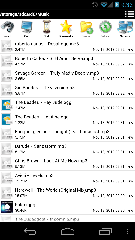
 Files are displayed on device App.

Saturday, October 27, 2012

Little device, big deal Apple


We all know that Apple company makes beautiful products. Some of you purchase computer items only from them. I don't know if it's because you are too comfortable with that matte white or you like the customer support behind them.
This new iPad Mini that just came out is like an iPod touch on steroids and sort of resembles the Galaxy Note.
If Apple is to keep their customer base happy for a very long time they need to think way ahead of time and design, at least, their chargers to work with all their future products models.
Just saying.

Monday, March 12, 2012

Microsoft to block other Operating Systems from booting

Apparently Microsoft wants to make the same move as Apple. If you want to have Windows 8 then that's all you can have. They want to prevent their users from booting into an OS that is not Windows.


Apple brands their hardware, though. So they can put just about anything in their BIOS (if they are to keep end users as slaves to OS X). Fine, you are not legally allowed to run another OS that is not Mac OS X Lion/Tiger/ Chimpanzee. Likewise you are not allowed to run Mac OS X on a system that is not Apple branded.


Such nonsense. Let people but your flashy hardware. Even if they have to get parts from the manufacturer and no generics are exist. Now let's focus on Microsoft. I read that they want to 'ask' manufacturers to block operating systems based on a black list. In a few words. You might not be able to boot an OS that is not Windows.


This is really bad news for the people that like to use Linux and other open source OS's. I mean, come on, when I bought my current laptop the first thing I did was install Ubuntu 10.04. A few days later I wiped out the "factory" partition. I don't care that it may void its warranty. What I do care about is having those binary files created by MS.


Click here to sign a petition asking computer manufacturers to allow free software operating systems to be allowed to boot.


Fight for your rights (unless your current system will never need replacing).

Thursday, March 1, 2012

Allow websites access to webcam on Ubuntu

In this social-media world of the Internet, being able to snap picture with your cellphone, or digital camera is convenient but what if you simply want to use your laptop's built-in webcam. "Keep it simple" you may say but some things just don't work out of the box when it comes to Ubuntu.

I was updating my status on Facebook by adding a picture using my laptop's web-cam . The circle thing kept moving but nothing happened. No camera controls showed up. So I tried something that I had never thought about.


My specs:
Firefox 10.0.2
Ubuntu 10.04 LTS kernel 2.6.32-38-generic
Adobe Flash Player: 
Laptop: 
  • Gateway ID49C07u 
  • i3 processor
  • 1.3 mp camera

Here is what you have to do to grant websites access to you camera.

1) Switch to picture mode.
2) Right click on the flash uploader / preview.
3) Click 'Global Settings'.


4) Go to "Camera and mic" tab.
5) Click the "Camera and Microphone Settings by Site..." button.
6) Add/ edit the website which you would like to grant access to.
7) From the dropdown select Allow.


Close both dialog boxes and retry to capture your picture.

Enjoy your status updates.

As I was wrapping up this post, I tested video capture and it works fine.


For much better quality consider this camera.
 
I have the LifeCam that records at 720p; very nice camera.

Tuesday, January 10, 2012

Email template with PHP and MySQL

In this video I demonstrate how to read static HTML file that contains field names in curly brackets and replace them with values from a MySQL query field value and then send it to a customer.

Some time ago I was creating a website for a tour company. They wanted Paypal integration. I tested it on Sandbox and it all worked fine. After receiving confirmation from Paypal, a script proceeds to update the booking and set it as paid and sends the customer an email (replacing field names with field values from the database).

For example: "Dear {customer}" would become "Dear Axel Torvalds" (Swordfish anyone?).


Video starts at 30 seconds.  Still, take a listen from the start. 


Ideas
Create a more detailed and nicer-looking email in spreadsheet software such as OpenOffice.org / LibreOffice and export it to HTML.

Saturday, December 24, 2011

Backup all MySQL databases in one step

Here's a nifty line of code that you can run to save a backup of all databases.
First you have to cd to the directory you want the .sql.gz files saved.

Begin code:


for I in $(mysql -u user_name -p -e 'show databases' -s --skip-column-names); do mysqldump -u user_name -p $I | gzip > "$I.sql.gz"; done


End code


At the prompt enter your MySQL password. Twice.

You are served. Have a nice day.


Monday, June 6, 2011

Adopting Linux


Not everybody makes the move to Linux in the first try. At least I didn't. I first tried back in version 7.04 of Ubuntu. Had to go back to MS WIN. Then 10.04 came along and I am using that version up to this day (June 2011).

Some history

During my middle-school years in Honduras I signed up for a computer course. The basics were taught there. Formatting a floppy, creating files and folders, word-processor use, printing. I took an aptitude test and I scored high on computer-related fields.

Then came High-School. Things were different there. We had programming, network design and analysis, and informatics classes. FoxPro and Visual FoxPro were used in the first year. On the second year we switched to Visual Basic 6.0; did some database driven application with Crystal Reports integrated.

On that second year I came to the US for vacation/work for a month. Bought my first computer. An eMachines w/ 120GB HDD, Athlon XP processor. My stepbrother said that it was the best he had seen in the region so far. Anyway, I was allowed to take home my computer lab floppy. I was always ahead on the VB 6 project. Back in school I assisted my classmates with their program. The debugging I did at home helped us all, even the professor had a little more room to breathe.

I used to take my PC to school for presentations when the lab was in use. Even our graduation's slide show and music were played on that old computer. I still have that case at home. I re-purposed it with another motherboard since the original one fried when I tried to boot Linux from a separate hard drive. Hardware is not my forte.

After graduating from HS in Honduras I moved to Miami. Supposedly to start college. I kept procrastinating and to this day (5 years later) I have yet to enroll.

Update: I did enroll in ITT-Tech (2012 or so) and them suckers were shut down after I decided to drop out because the curriculum was no better than what I already knew. I am hoping to get the loans dropped due to the school pushing to get me to sign paperwork on tour day. Only in Miami.)

The switch

I have moved on from desktop application programming as a hobby to web development. I have successfully made the switch from Mocosoft Windose to Ubuntu (Debian based). I am not much of a game enthusiast so portability is not an issue. Although I could use WINE or some other commercial alternative to run .exe's on Ubuntu. Here's what I use on a daily basis when the need arises:
Music Rhythmbox
Word-processor OpenOffice.org Writer
Spreadsheet OpenOffice.org Spreadsheet
Web browsing Firefox
FTP client Filezilla
Email client Evolution
Simple text editor gedit
Video playback VLC
PHP, HTML coding Quanta Plus, Aptana
Web server Apache


All this using FOSS – Free Open Source Software. Give Linux a try. I chose Ubuntu because it seemed easy to use. I have my eye on Fedora Core 14, seems to be well maintained. Perhaps one day I will contribute a few lines myself.